Your code stays with you
The analysis engine runs inside the extension, with no server or account required. Optional AI reviews send a summary of the analysis only when you use them.
LOCAL ANALYSIS / VS CODE EXTENSION
Analyze your open folder and bring structure, technical debt, security, and dependencies into one report. Analysis runs entirely on your PC.
TypeScript / JavaScript · PHP · Python · Go · Java · C# · Rust · C++ · Swift · Kotlin · Dart supported

The analysis engine runs inside the extension, with no server or account required. Optional AI reviews send a summary of the analysis only when you use them.
Trace external input to dangerous operations. Findings with a reachable input path are distinguished from pattern matches that need review.
God classes, circular dependencies, dependency graphs, SBOM, and vulnerabilities come together in a shareable HTML report. Light and dark modes are supported.
01 / FEATURE TOUR
CODES DOCTOR / 01
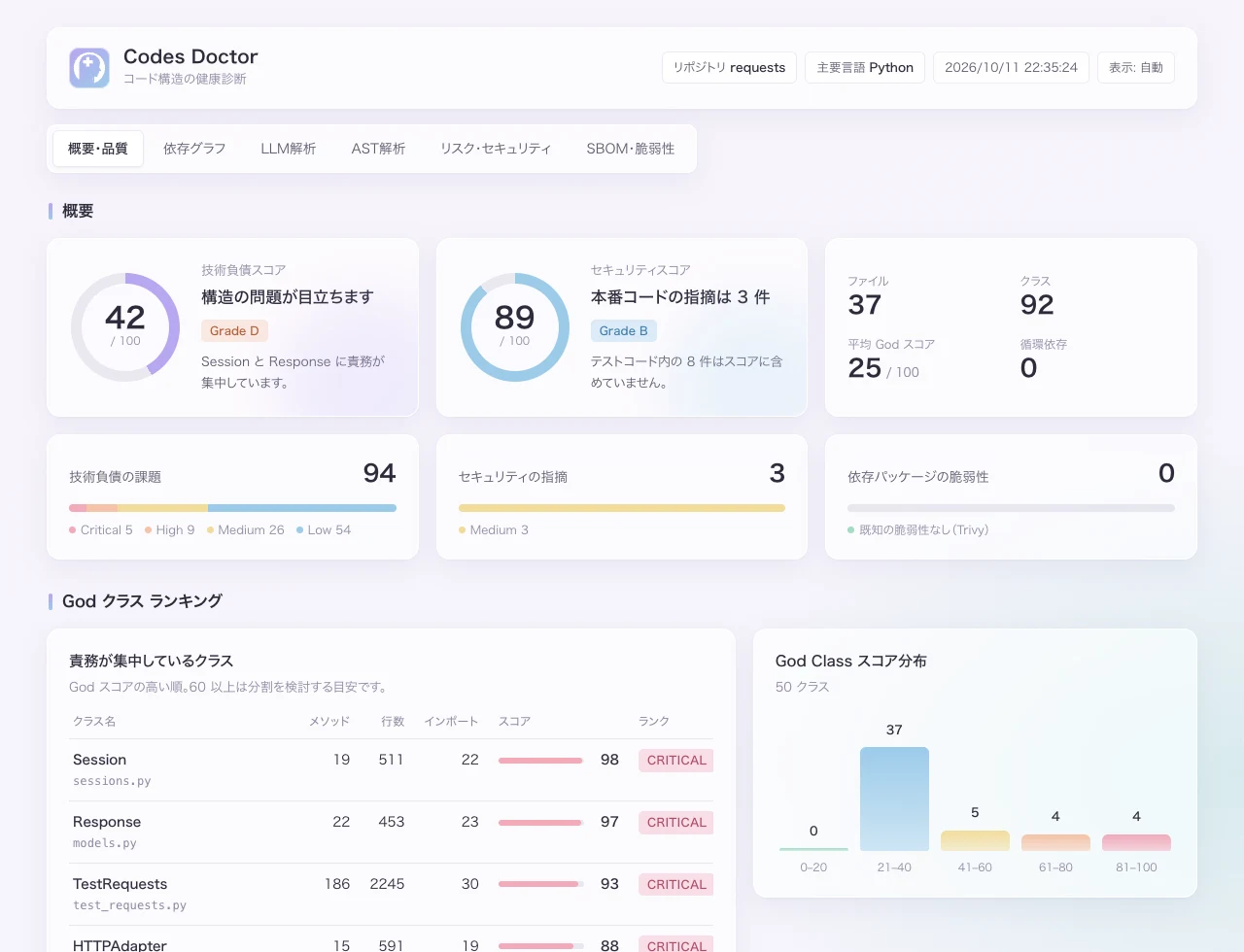
See technical debt and security scores out of 100, with a ranking of classes that concentrate too many responsibilities.
Try it on your code ↗CODES DOCTOR / 02
Review complexity, maintainability, circular dependencies, and detected vulnerabilities. Test-code findings are distinguished and excluded from scores.
Try it on your code ↗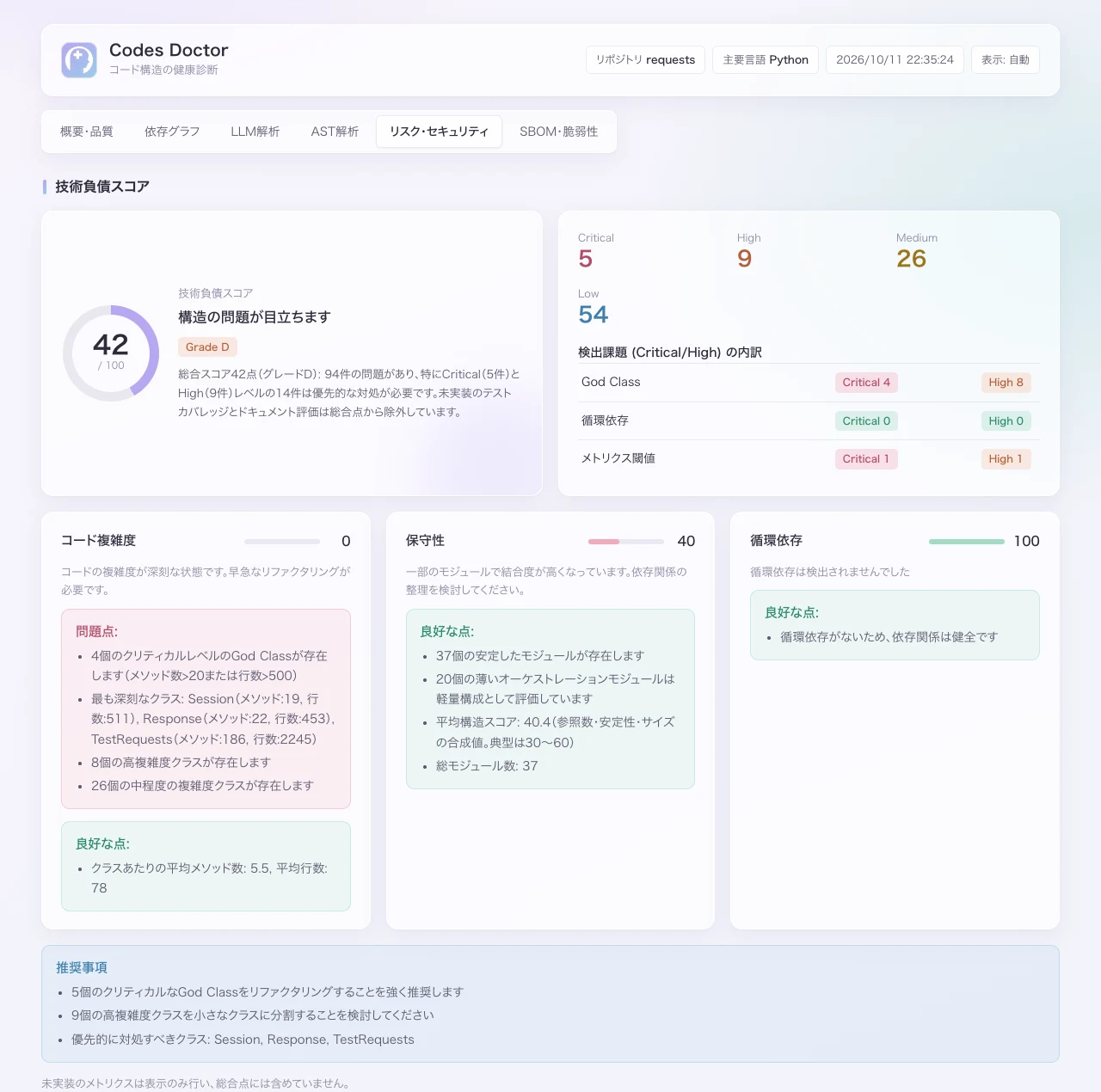
CODES DOCTOR / 03
Visualize module dependencies and function calls from actual imports.
Try it on your code ↗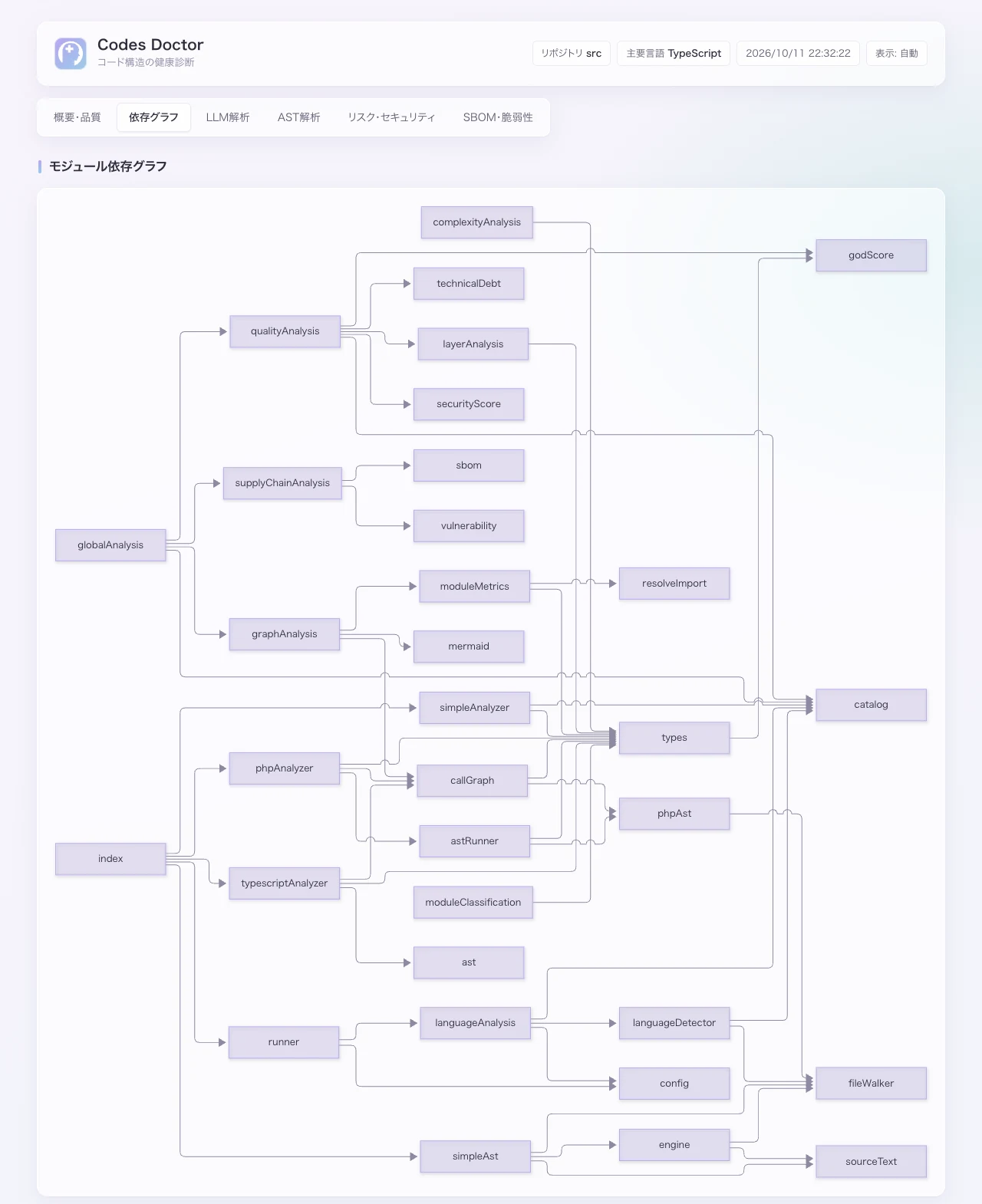
CODES DOCTOR / 04
List direct, transitive, and development dependencies, and check known vulnerabilities using Trivy, or npm audit when Trivy is unavailable.
Try it on your code ↗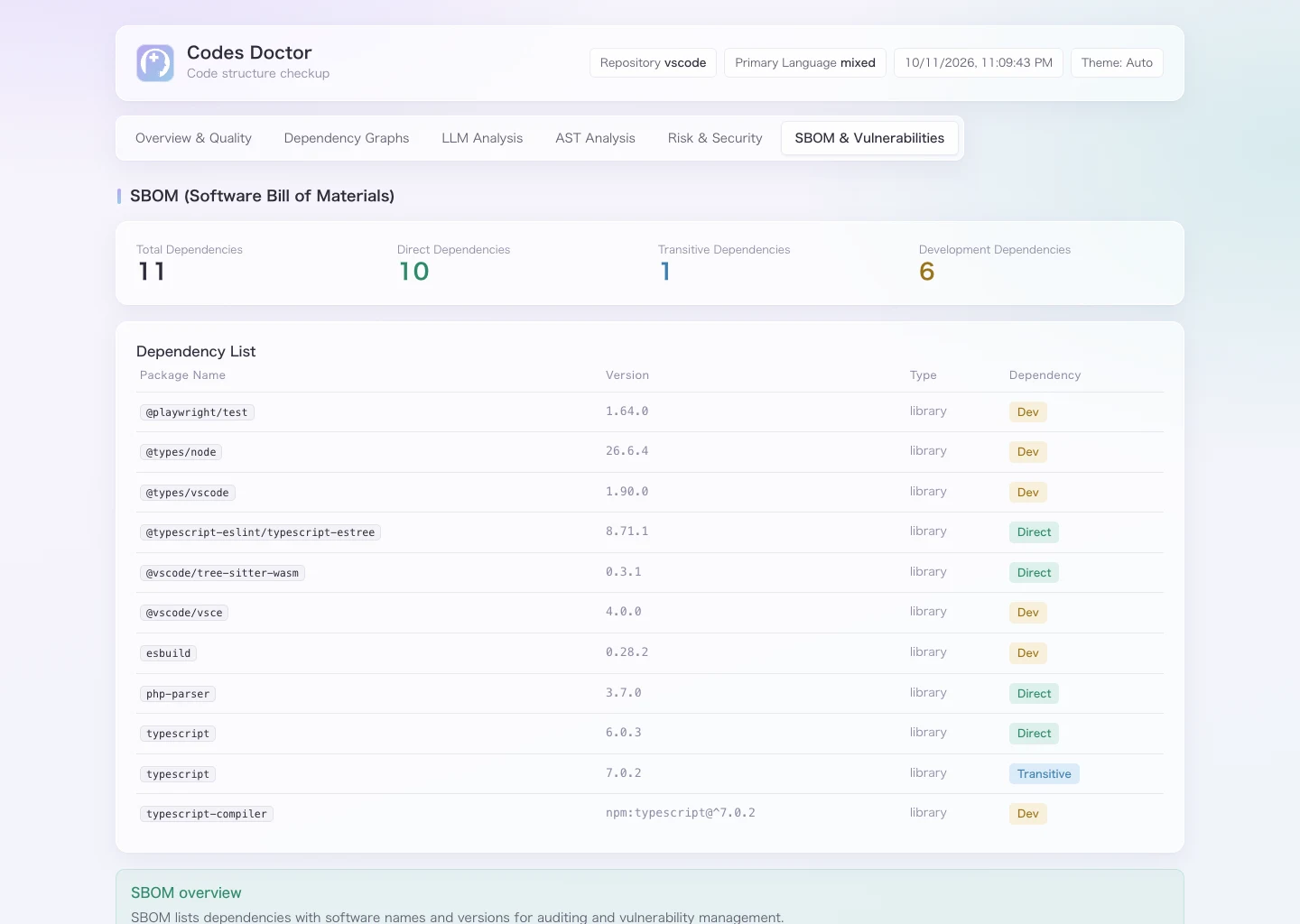
CODES DOCTOR / 05
Optionally configure an OpenAI or Anthropic API key to generate a review of the results and task prompts ready for Claude Code or Cursor.
Try it on your code ↗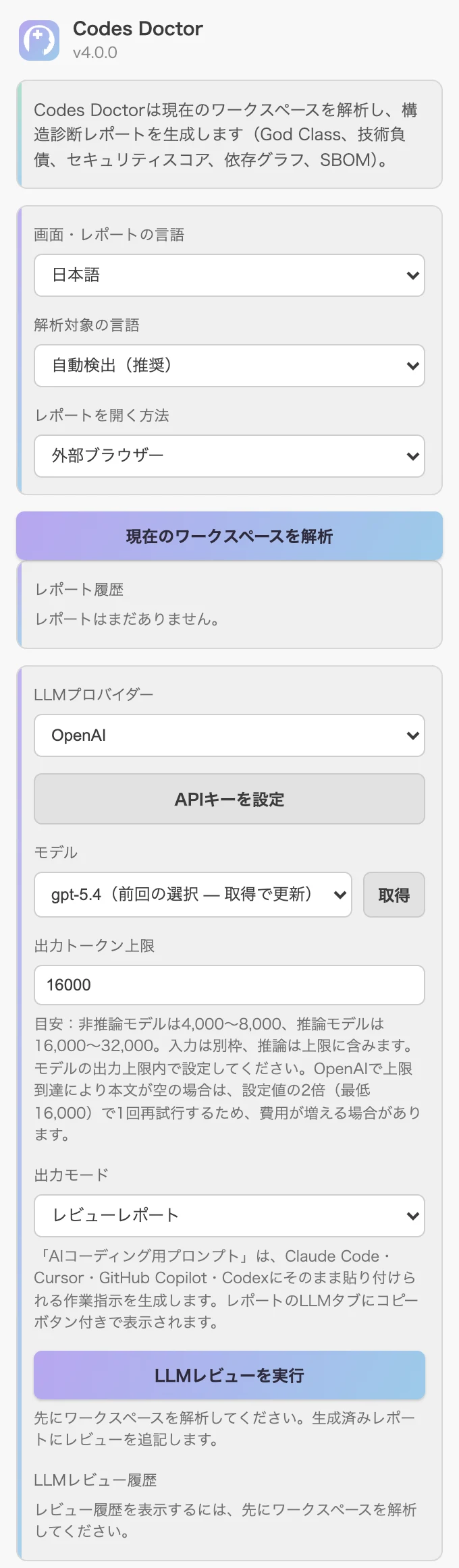
02 / NEW IN 4.0
Trace request parameters and command-line arguments through variables to command execution or SQL within each function. Reachable findings show the input path; other pattern matches are marked for review.
// Illustrative example of an input path
function handler(req, res) {
  const input = req.query.command;
  const command = input;
  exec(command);
}
ILLUSTRATIVE FINDINGS
req.query.command → input → command → exec
A path from external input to a dangerous operation was detected.
A pattern matched, but reachability from external input was not confirmed.
Supported for TypeScript / JavaScript, PHP, Python, Go, Java, C#, Rust, and C++. Input paths across separate functions are not yet tracked.
03 / LANGUAGES
TypeScript / JavaScript, PHP
Python, Go, Java, C#, Rust, C++
Swift, Kotlin, Dart
Languages with basic structure extraction are more prone to false positives and missed findings.
04 / GET STARTED
Search for “Codes Doctor” in VS Code extensions.
Run analysis from the Activity Bar dashboard.
Open the results in your browser or inside VS Code.
In CI, use the codes-doctor command-line tool to generate the same report and fail checks when scores fall below your thresholds.
05 / BUILT FOR YOUR WORK
START WITH YOUR CODE
Free to install. No registration required.
Install for free ↗Analysis runs locally without uploading source code. Optional AI reviews send a summary of the results to your selected API provider. Known-vulnerability lookups use Trivy or npm audit.
EXPLORE THE APPS / TIP
Choose an app to explore its features and how to use it.
Review code structure, technical debt, and security.
Explore the app
Generate dependency inventories and check known vulnerabilities.
Explore the app
Trace LLM output and external input to risky operations.
Explore the app