01 /
Follow authenticated journeys
Explore SPAs and authenticated pages with Playwright. Review recorded interactions and reuse them for test generation, replay, and dynamic assessment.
PLAYWRIGHT / ZAP / LOCAL WEB ASSESSMENT
Follow authenticated pages and forms in a real browser. Bring Playwright exploration and scenarios, ZAP integration, and local source analysis together in one web interface.

01 /
Explore SPAs and authenticated pages with Playwright. Review recorded interactions and reuse them for test generation, replay, and dynamic assessment.
02 /
Generate valid, boundary, and invalid values from HTML form constraints, combine them pairwise, and export Playwright specs or YAML.
03 /
Review dynamic and static findings alongside severity, OWASP categories, evidence, and remediation guidance.
01 / FEATURE TOUR
WEB SECURITY HUB / 01
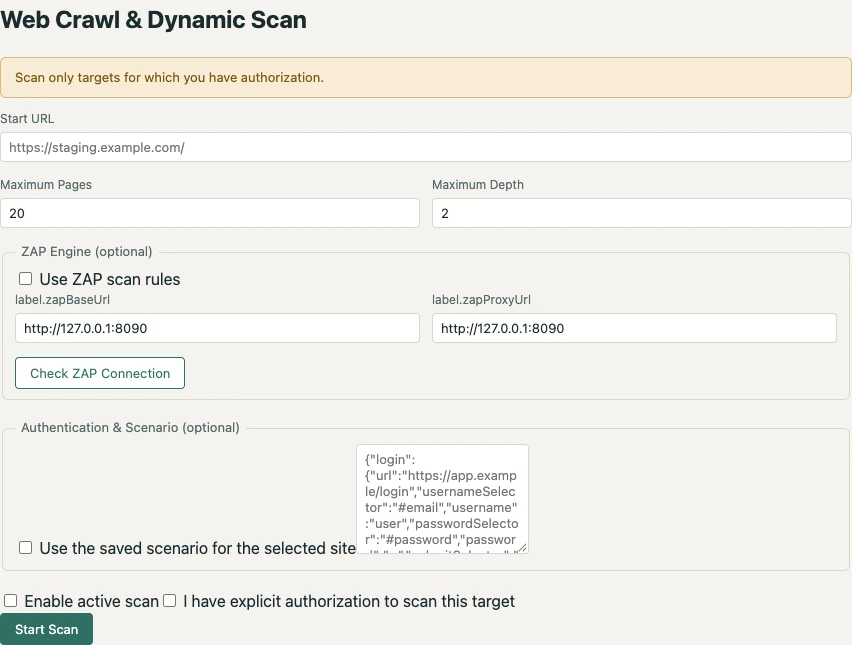
Set a start URL and crawl scope to collect same-origin traffic. Enable ZAP to use its established passive and active scan rules. Run active scans in a staging environment with explicit authorization.
Read the guide on this page ↓ WEB SECURITY HUB / 02
Use saved scenarios to reach forms that ordinary link crawling cannot access. Generate test cases from discovered forms, then replay them and review HTML reports.
Read the guide on this page ↓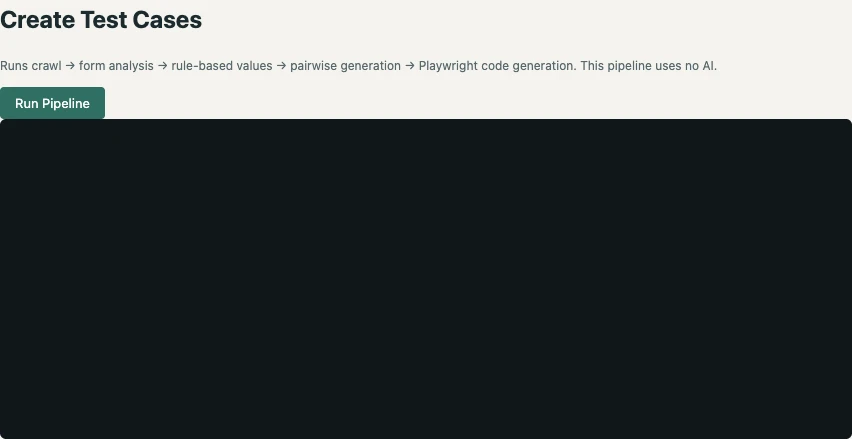
WEB SECURITY HUB / 03
Inspect a local source tree for command execution, SQL string concatenation, and possible secrets, then review the evidence. Optional Claude Code review runs only when you authorize sending the displayed findings.
Read the guide on this page ↓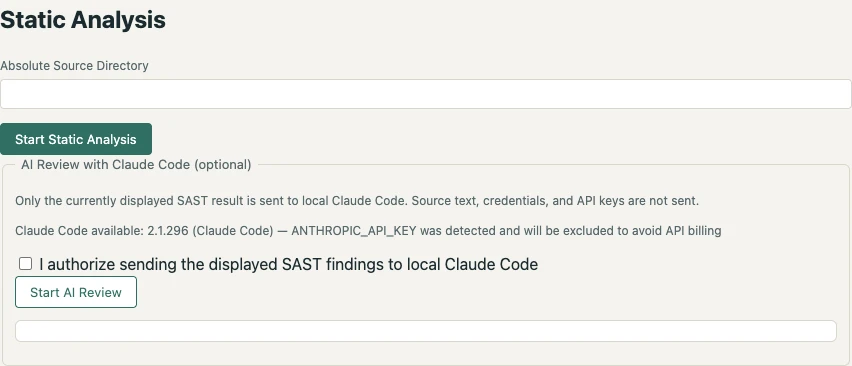
02 / FROM INPUT TO ACTION
Prepare authentication and a scenario describing how to reach the pages and forms you want to review.
Reuse that scenario for form test generation and dynamic assessment with Playwright and ZAP.
Review HTML reports and generated specs, address findings, and reuse the saved scenario for regression tests.
03 / COVERAGE
Playwright handles authenticated exploration and scenario replay. ZAP applies its existing scan rules to collected traffic.
Use owned or authorized environments. Form tests and active scans send requests; start with a small staging scope.
04 / GET STARTED
Install Node.js 22 or later, clone the GitHub repository, and install its dependencies.
git clone https://github.com/masahiroid/web-security-hub.git
cd web-security-hub
npm installInstall Chromium and start the local application. Open localhost:4173 in your browser.
npx playwright install chromium
npm startSet an authorized target URL, authentication, and crawl limits. Start with the features you need and follow the guide for optional ZAP setup.
The application and source analysis run locally. Browser exploration communicates with the target; ZAP integration routes traffic through a local proxy. Optional Claude Code review passes the displayed SAST findings to the reviewer only with explicit authorization.
EXPLORE THE APPS / TIP
Choose an app to explore its features and how to use it.

Assess SBOM vulnerabilities and license policy with evidence.
Explore the app Turn browser journeys into web assessments and regression tests.
Explore the app
Check model distribution files and conversion consistency.
Explore the app